Okay, let me share a few concepts that I actually find interesting here, because “build your own AI tool” still sounds more complicated than it is. A lot of these are just a few services connected in the right way, and the funny part is that you can already build something genuinely useful before you even fully understand what all of the pieces do.
I’d start with things that solve one annoying problem first. Not “AI operating system for my startup”. One thing. Make it work. Then add stuff.
1. Your own customer feedback brain
If you’re building a product, feedback will be all over the place sooner or later. Support tickets, interviews, reviews, random Slack messages, sales notes, maybe Reddit, whatever.
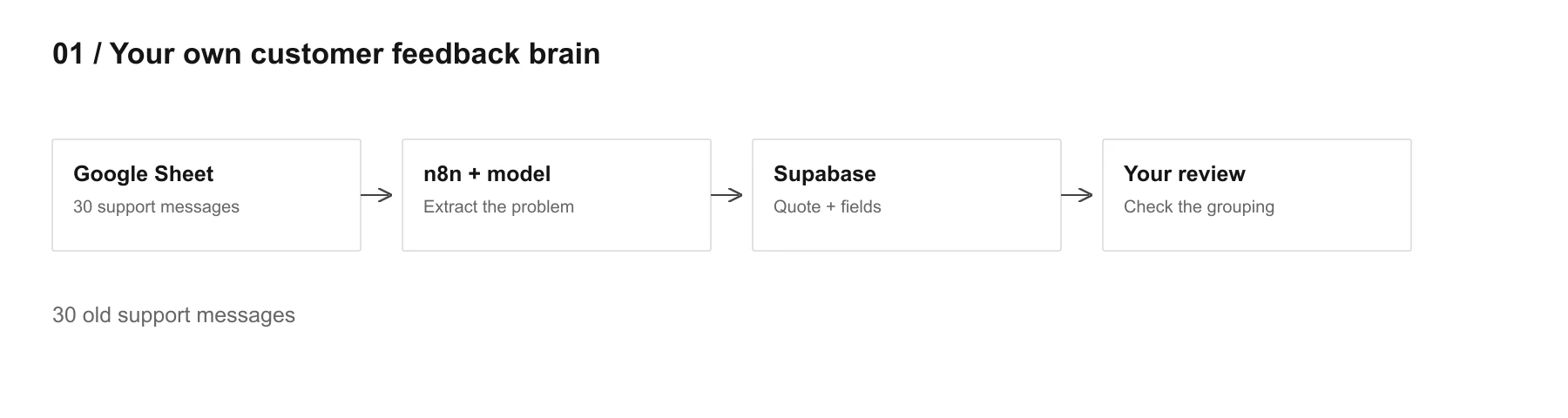
The easiest first version would be n8n + Claude/ChatGPT + Supabase.
n8n collects new feedback, sends it to the model, the model extracts a few useful fields, then Supabase stores both the original text and the cleaned structure.
I’d start with something this simple:
source
original_text
product_area
problem
severity
related_feature
confidence
And yes, keep the original text. This matters a lot because after some time AI summaries start sounding suspiciously nicer than the actual customer.
Read this customer feedback and extract the underlying problem in plain language.
Return:
product_area
problem
severity from 1 to 5
related_feature if clear
confidence from 0 to 1
If you are not sure, write UNKNOWN.
Do not invent context that is not in the original feedback.
Keep the original customer wording separately.
Where to start? Honestly, take 30 old support messages, put them in a Google Sheet, run the workflow on those first. If the grouping looks stupid, fix the prompt before connecting five different sources.
Later you can connect Gmail, Intercom, Slack, forms etc.
2. A little competitor stalker
This one is probably even easier.
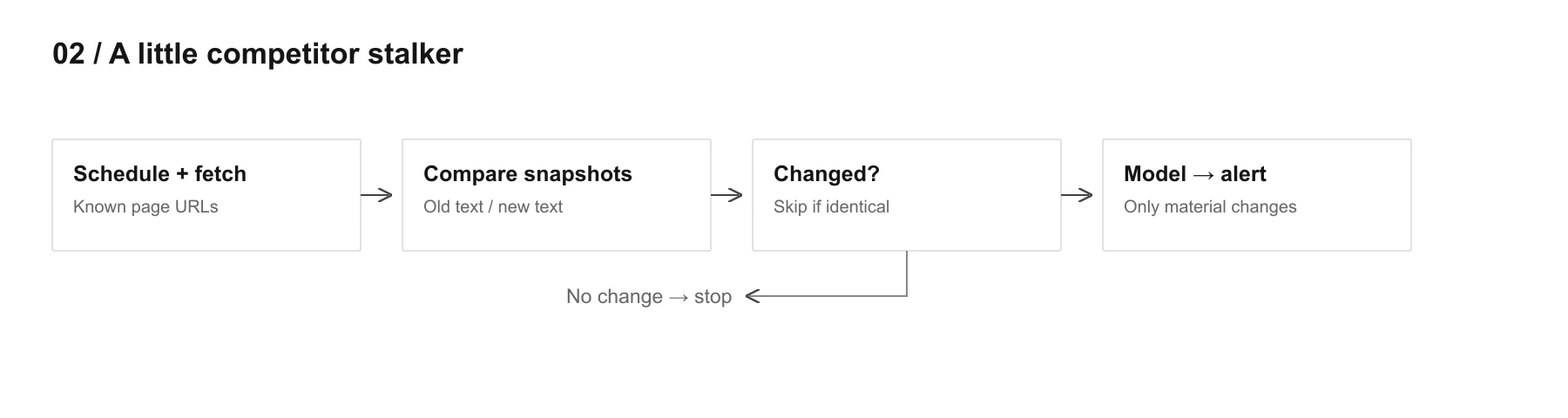
Pick 5 competitors and only 2 or 3 pages for each at first. Pricing, homepage, changelog. That’s enough.
You can use n8n + a simple HTTP fetch + Supabase to store snapshots. Every day or every few days, fetch the page again and compare it with the previous version. Only if something changed, send the changed text to Claude/ChatGPT and ask whether it actually matters.
I would NOT send the whole internet to the model every day. That’s wasteful and kinda dumb.
Compare these two versions of the same competitor page.
Ignore tiny wording changes, formatting changes and irrelevant legal text.
Tell me only if something meaningful changed for product, pricing, positioning, onboarding or target customer.
Return:
changed: true/false
summary
why_it_matters
confidence
At first I’d even skip fancy crawling. Just manually add the URLs you care about and see if the alerts are useful.
If after two weeks you get mostly garbage, your problem is not “we need more AI”. Your filtering is bad.
3. PRD helper that knows what happened before the PRD
This one needs a little more setup but it’s still very doable.
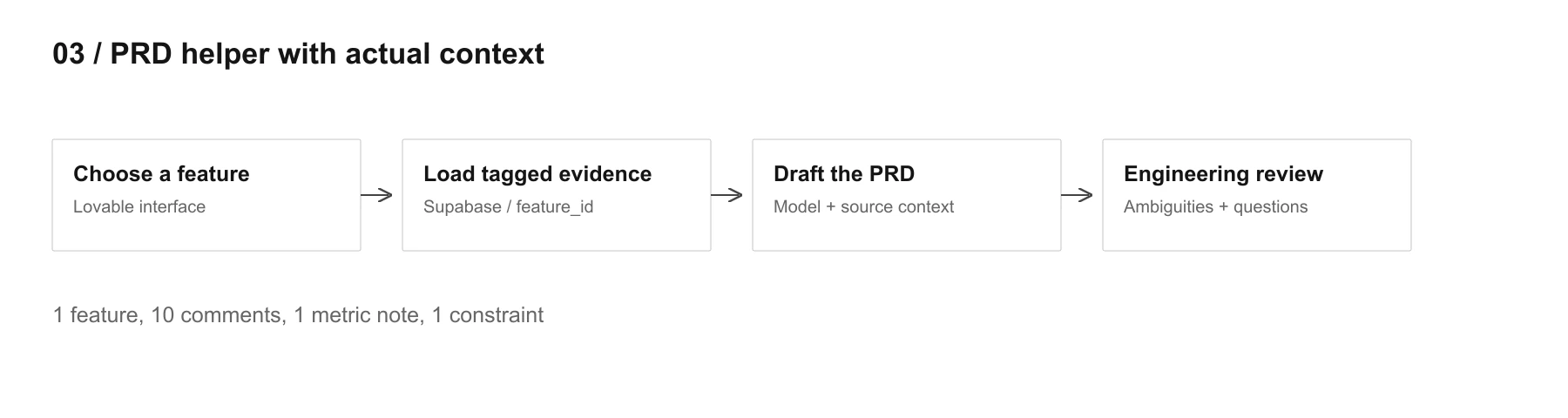
I’d probably use Lovable + Supabase + Claude/ChatGPT, and then later connect Linear/Jira or Productboard.
The small version is basically a page where you choose a feature, and the app pulls related customer feedback, old notes, maybe analytics comments, then sends all of that as context to the model.
You don’t need some genius retrieval architecture in version one. Tags are enough.
So maybe feedback has:
feature_id = onboarding_v2
and all notes about onboarding get linked to that.
Then prompt:
You are drafting a PRD from existing evidence only.
Use the customer feedback, analytics notes and technical constraints below.
Do not invent requirements.
Mark assumptions clearly.
If something important is missing, create an OPEN QUESTION instead of guessing.
Then after the draft:
Read this PRD as an engineer who has never seen the feature before.
Point out anything that can be understood in two different ways or cannot be implemented without another decision.
Honestly, that second prompt is probably where most of the value is.
I’d start with one feature manually. Put 10 comments into Supabase, add one analytics note, one engineering constraint, then generate the PRD. If that already feels useful, connect the rest.
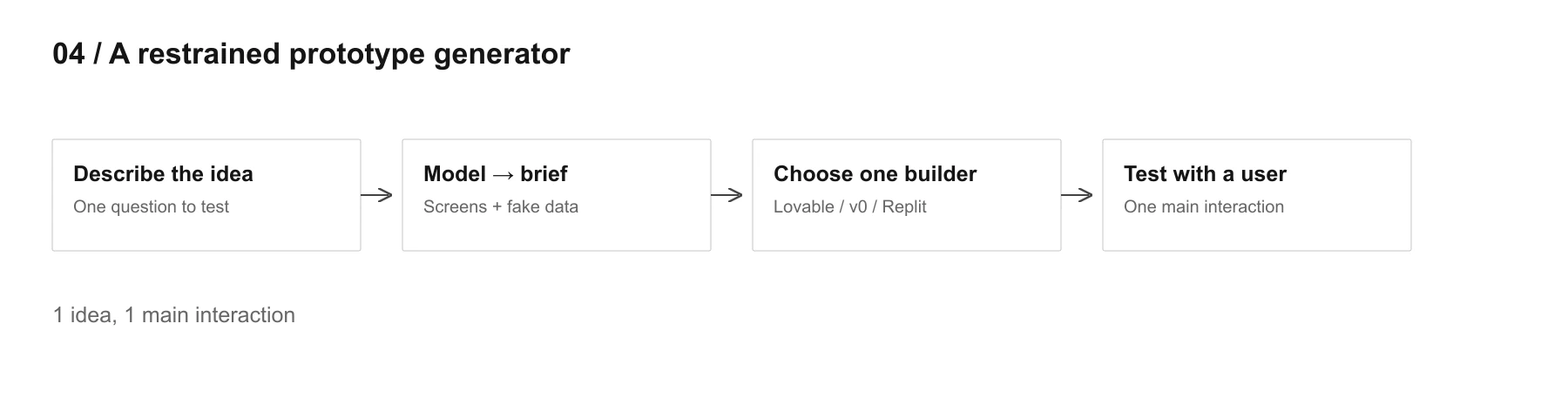
4. Prototype generator, but kinda restrained
This one is less “workflow automation” and more a little product for yourself.
Use Lovable, v0 or Replit and build a very small interface with:
one text area for the idea
maybe a few options like mobile/web/dashboard
button: generate prototype brief
I actually wouldn’t try to make it automatically generate the whole app from day one. First make it generate a very strict spec that you then feed into Lovable/Replit.
I want to test this idea: [IDEA]
Create the smallest possible clickable prototype that would let me test the main interaction with a user.
Use fake data.
Do not add billing, settings, admin panels, notifications, roles or other secondary features unless they are required for the test.
Give me:
screens needed
what happens on each screen
sample fake data
what can stay completely fake
what question this prototype should help me answer
Then you paste the result into Lovable or Replit.
This way you’re using AI twice: first to reduce the idea to the smallest testable thing, then to actually build it.
And yeah, this is one of those cases where keeping AI under control is more useful than asking it to “be creative”.
5. Your own morning product assistant
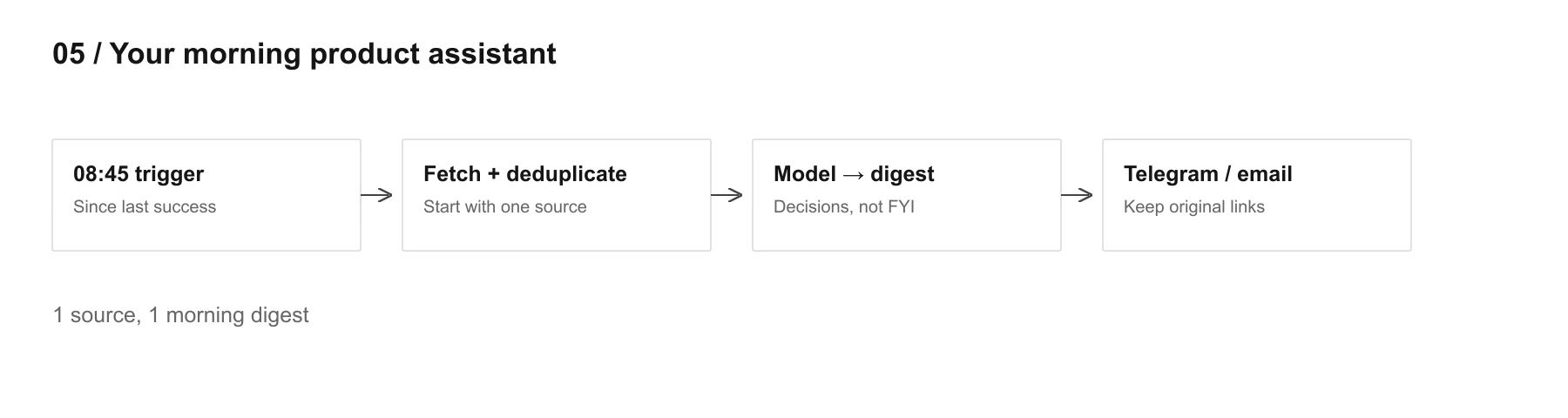
This one is probably the easiest to actually use every day.
Start with only Gmail + Linear/Jira, or only Slack if that’s where most of the chaos happens. Don’t connect 12 things immediately.
Use n8n on a schedule, maybe 8:45 every morning, pull new items since yesterday, send them to the model, then deliver one digest to Telegram, Slack or email.
Summarize only things that may affect product decisions today.
Ignore FYI noise and social conversation.
Show:
blockers
customer issues
decisions waiting for me
important changes since yesterday
Keep it short. If nothing important happened, say that.
Then later you can add the end of day part.
Something like:
Based on today's tasks, notes and decisions, tell me what actually changed.
What did we learn?
What assumption got weaker?
What still should NOT be decided yet?
Save that to Notion or Supabase and suddenly you have this weird little product diary growing in the background.
And honestly, I’d start with the morning part only. If it saves you 20 minutes for a week, then add more.
Bonus, because I still really want this one: personal finance sanity checker
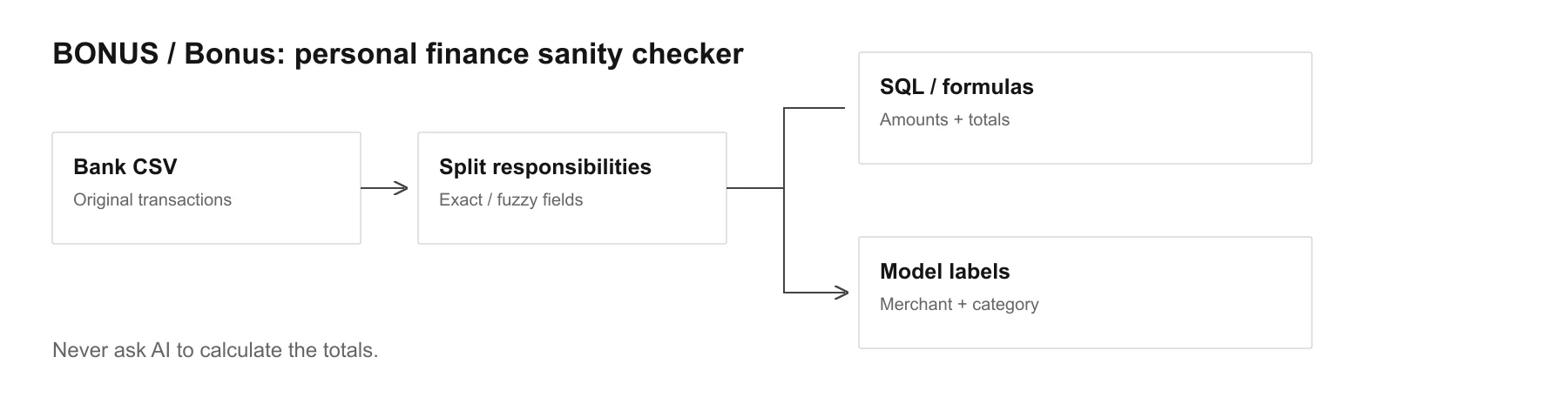
This is probably Google Sheets or Supabase + n8n + LLM.
Export bank transactions as CSV. Put them in a table. Use normal formulas or SQL for all exact totals. Let AI mostly clean merchant names and classify weird transaction descriptions.
For example:
AMZN Mktp DE*8H2... → Amazon
GOOGLE *TEMPORARY HOLD → probably temporary hold
some completely cursed bank merchant string → maybe restaurant / transport / subscription
Classify this transaction based on merchant name and description.
Return:
normalized_merchant
category
recurring: true/false/unknown
confidence
Do not estimate the amount, date or currency. Those come from the original transaction data.
Then your dashboard can calculate the boring stuff exactly and AI can help answer human questions like:
what became noticeably more expensive this month?
which recurring expenses appeared recently?
which merchant names look like the same company under different descriptions?
I would start with 2 or 3 months of data. That’s enough to see whether the categorization is actually useful.
And I think that’s kinda the general pattern for all of these.
Don’t start by asking “what full architecture do I need?”
Start with:
what annoying thing do I want to stop doing manually this week?
Then build the stupid version first.
30 feedback messages.
5 competitor URLs.
1 feature PRD.
1 prototype.
1 morning digest.
If that already feels useful, then yeah, now it makes sense to make it bigger.